
TikTok国際版ダウンロード

QRコードをスキャンしてこのページを開き、ダウンロード


What is TikTok called in Chinese
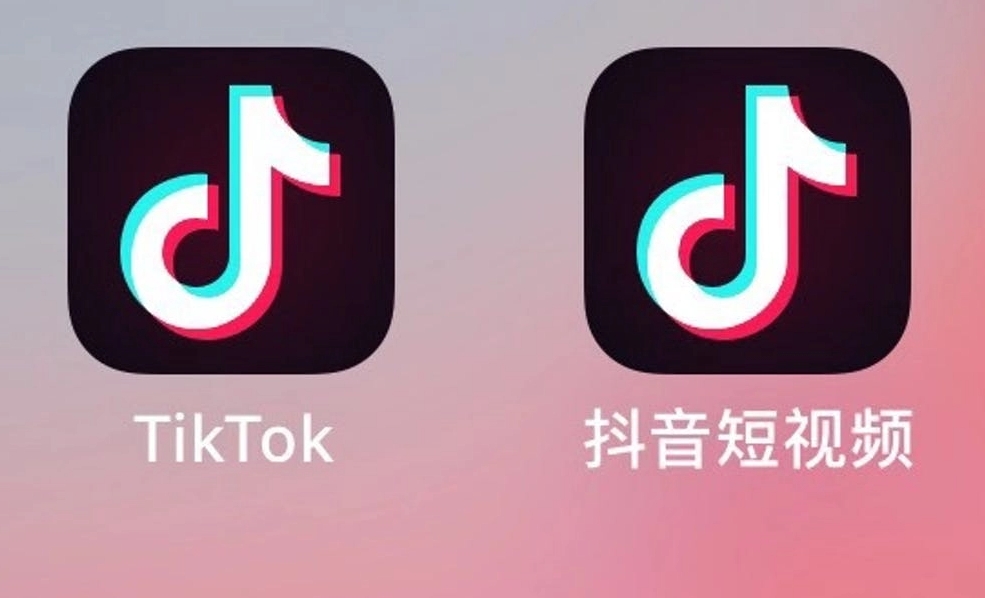
TikTok was originally called Douyin (its name in the Chinese market), and is a highly popular social media application focused on short video sharing and creation, allowing users to create, share, and watch short videos. Since its launch in 2016, the international version of TikTok has provided a platform for global users to showcase their creativity, talents, and daily lives. As a result, it quickly became a widely popular platform worldwide, especially favored among young users.
Which country is TikTok from
The predecessor of TikTok is the short video app "Douyin," launched in 2016 by China's ByteDance. In 2017, ByteDance acquired Musical.ly, a popular short video app in the US market, and merged it with Douyin in 2018 to form the TikTok we know today. Therefore, it can be said that TikTok was developed by a Chinese company but is operated as a social media platform globally.

How to download the international version of TikTok
To solve this problem, some preparations need to be made, starting with choosing the right download channel.
1. Google Play Store (Android devices only): If you are using an Android device, you can download the international version of TikTok through the Google Play Store. Make sure your device is connected to an overseas internet and that the Google Play Store is accessible.
2. Apple App Store (iOS devices only): For iOS device users, you can download the international version of TikTok through the Apple App Store. Make sure your Apple ID is set up and your device can access the App Store normally.
3. Official website: In some cases, you can also download the app directly from the official TikTok website. This is usually suitable for regions where app stores are not accessible.

TikTok overseas live network dedicated line
If your region restricts access to overseas app stores or TikTok is unavailable in your area, users need to set up an overseas network node. Through this node, users can connect to servers in other countries to access the Google Play Store or Apple App Store.
The steps to install the TikTok dedicated line network are as follows:
(1) Choose a reputable and stable overseas network dedicated line service provider.
(2) Set up the network node according to the service provider's instructions.
(3) After a successful connection, access the overseas app store to download TikTok.
TikTok download process
1. Modify the network: Remove the SIM card from your phone and format the phone to clear the internal storage of location and carrier information.
2. Open the TikTok download channel: With location services turned off, log in to the App Store with an overseas account ID or use the official website that also allows downloading the international version of TikTok.
3. Search for TikTok: Enter "TikTok" in the search bar, then select the international version of TikTok from the search results.
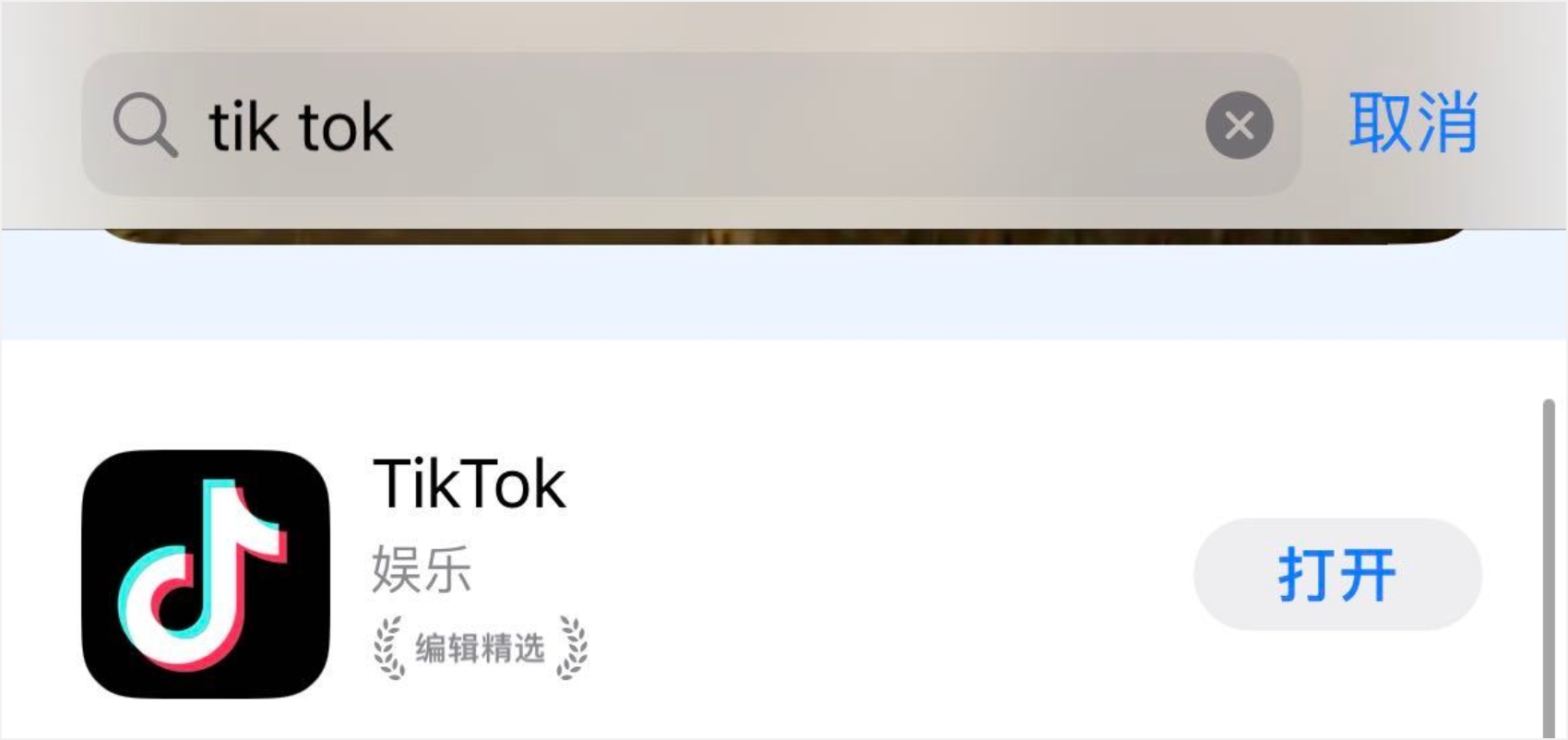
4. View app information: On the app page, you can view detailed information about the app, including user reviews, version update records, etc.
5. Download the app: Click the "Install" or "Get" button to start downloading the international version of TikTok.
6. Wait for installation to complete: After the download is complete, the app will automatically begin installing. This process may take some time, depending on your network speed and device performance.
7. Open the app: After installation, you can find TikTok in your device's app list and tap the icon to open the app.
It should be noted that during the entire download and usage process, you must not insert a domestic SIM card into your phone to prevent the TikTok international account you apply for from being restricted.
TikTok adult version download
There is a common misconception about TikTok—some people believe there is a so-called "TikTok adult version" and have been searching for ways to download it.
It should be clarified here that TikTok has not launched a so-called "adult version." TikTok is committed to providing users with a safe and healthy online environment, including protection measures for underage users. The platform provides content filtering and feature restrictions based on users' age groups to ensure that all users can enjoy the fun of short videos in an appropriate environment.
How to log in and register for TikTok
(1) When you open the TikTok registration page, you will see three registration methods: foreign mobile phone number, foreign email, Google account, and other third-party platforms. It is recommended to use a foreign email to register (such as an outlook email). It is not recommended to use third-party registration because only mobile phone and email registration allow you to set your age, avoiding account restrictions later. Be sure to choose over 18 years old, as minors cannot successfully register for TikTok!
(2) When filling in your birthday during registration, be sure to make sure your age is over 18.
(3) Depending on your registration method, choose Phone or Email to get the verification code. Be cautious when using a new Gmail or other email account to register for TikTok; try to use an account you control, as there may be issues with not receiving the verification code after registering a new account.
Note: If you have already registered an account but cannot log in and keep seeing "operation too frequent" and other issues, please click the "forgot password" option, reset and change your password, and log in again!
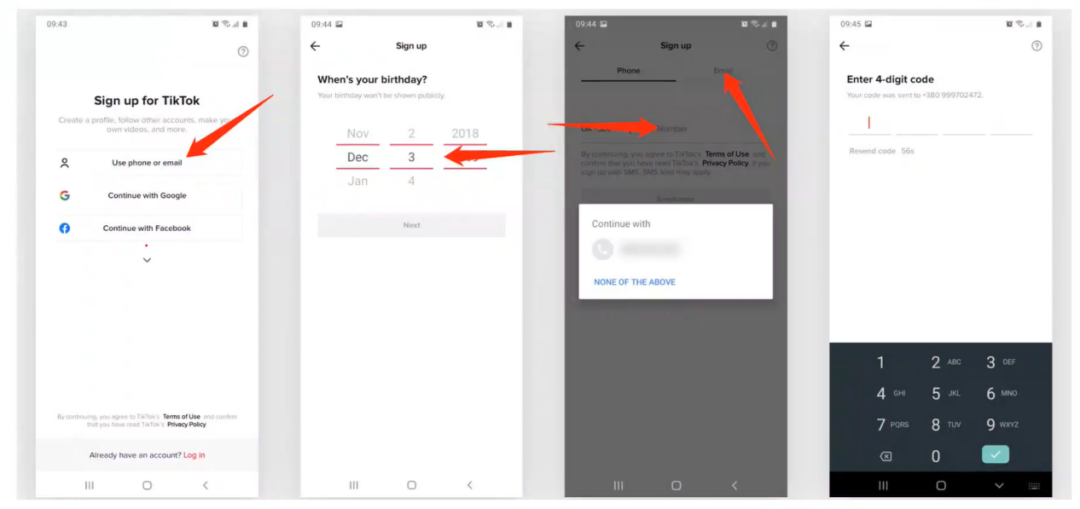
Select login method: After opening TikTok, you can choose to log in using your phone number, email address, Facebook, Google, or Apple ID. According to your chosen login method, enter your phone number, email address, or social media account information, then enter your password to log in.
Sometimes, TikTok will require identity verification, such as sending a verification code to your phone or email to confirm your identity. After completing the verification, you will have successfully logged into your TikTok account and can start using it.
TikTok international version
■ Short video sharing and browsing:
TikTok is best known for its short video content. Users can browse, like, comment on, and share videos of no more than a few minutes. These videos cover a wide range of topics, such as music, dance, comedy, education, and more.
■ Personalized recommendations:
TikTok uses advanced algorithms to recommend videos based on users' viewing habits, interactions, and preferences. This means that every user's "For You" page (i.e., the recommendation page) is unique.
■ Creation tools:
TikTok provides a range of easy-to-use video editing tools, including filters, special effects, music, and text options, allowing users to easily create and edit their own videos.
■ Music and sound effects:
Users can add music or sound effects to their videos. TikTok has a huge music library, and users can choose popular songs, classic melodies, or original music as background music for their videos.
■ Interactive features:
TikTok supports user interaction, including likes, comments, sharing, and private messages. In addition, users can participate in broader community activities through "challenges" and "hashtags."
■ Global community:
TikTok is a global platform with a wide user base from all over the world. This makes the content rich and diverse, and the integration of different cultures brings users fresh and interesting experiences.
■ Live streaming feature:
Some users can also use TikTok's live streaming feature to interact with viewers in real time. Safety and privacy controls: TikTok offers a range of privacy and security settings, allowing users to control who can view and interact with their content.
TikTok is a platform centered on short videos that promotes creative expression and community participation, attracting users of all ages and backgrounds.


TikTokは音楽、ダンス、グルメ、美容、コメディなど、さまざまな短編動画コンテンツを提供しています。いろいろなアイデアやインスピレーションを得られて、とても面白いです。
TikTokのコミュニティはとても良く、ユーザー同士が互いに励まし、学び合っています。共通の趣味や関心を持つ友達を作り、一緒に共有できます。