
 2504
2504TikTok is a globally popular short video social platform. Due to its unique algorithm and creative content, it has attracted hundreds of millions of users worldwide. For new users, understanding how to log in and register for TikTok is the first step to start using this platform. This is also a must-read guide for TikTok beginners.
1. Download the TikTok app
First, you need to install the TikTok app on your phone. You can search for the "TikTok" installation package on the official TikTok website, Apple App Store, or Google Play Store, then download and install it.
2. Open the TikTok app
After installation is complete, open the TikTok app. You will see a startup screen, and then enter the main interface.
3. Register an account
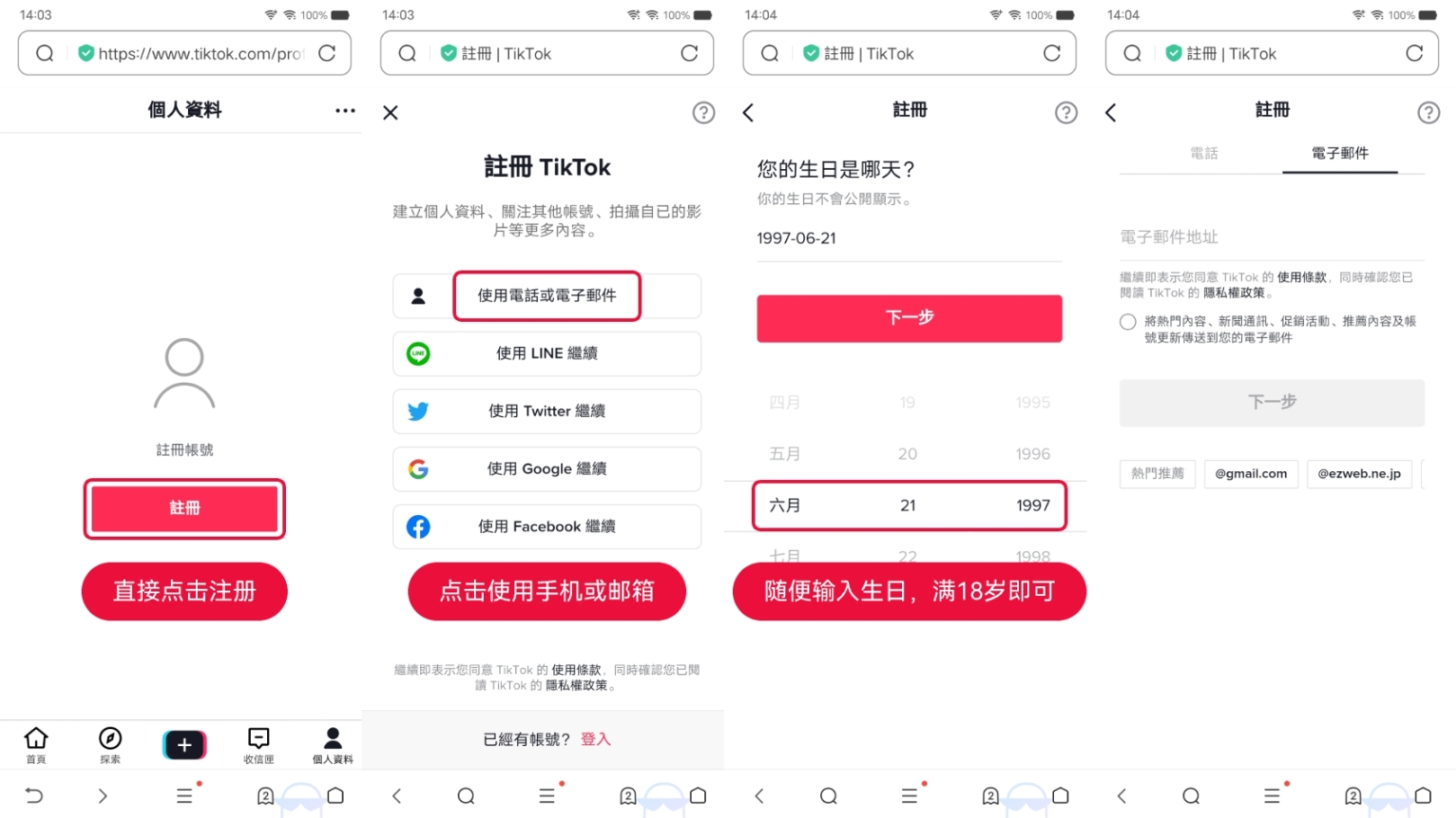
On the main interface of TikTok, you will see the "Sign Up" option. Click this button to start the registration process.
3.1. Register with an overseas phone number
You can choose to register with an overseas phone number. Enter your phone number, then click "Send verification code." Enter the code you receive and then set a password.
3.2. Register with an overseas email
You can also choose to register with an overseas email address, such as an Outlook email. Enter your email address, then click "Send verification code." Check your email for the verification code sent by TikTok, enter the code, and then set a password.
3.3. Register with an overseas social media account
TikTok also supports registration using overseas social media accounts, such as Facebook, Google, or Twitter. Click the corresponding icon to authorize TikTok to access your social media account information.
4. Complete your profile
After successful registration, you can set your username, profile picture, and personal bio. This information allows you to personalize your presence on TikTok.
5. Log in to TikTok
If you have already registered a TikTok account, you can directly click "Log In" or "Sign In" when the app starts.
5.1. Log in with an overseas phone number
Enter your overseas phone number and password, then click "Log In."
5.2. Log in with an overseas email
Enter your email address and password, then click "Log In."
5.3. Log in with an overseas social media account
If you registered via a social media account, you can select the corresponding icon for quick login.
6. Explore TikTok
After logging in, you can start browsing and watching videos, following other users, liking and commenting. You can also click the "+" at the bottom of the screen to start creating your own videos.
7. Privacy and security settings
To protect your personal information and account security, it is recommended to check and adjust privacy and security options in the settings.
By following the above 7 steps, you can easily register and log in to TikTok and start enjoying this creative and fun social platform. Remember to follow community guidelines, respect other users, and work together to create a positive and healthy online environment.
Please note that TikTok's features and interface may change with version updates. The above guide is based on the current version of the TikTok app. If you encounter any problems during use, you can check TikTok's Help Center or contact customer service for assistance.